500 pages free

Find any document in seconds

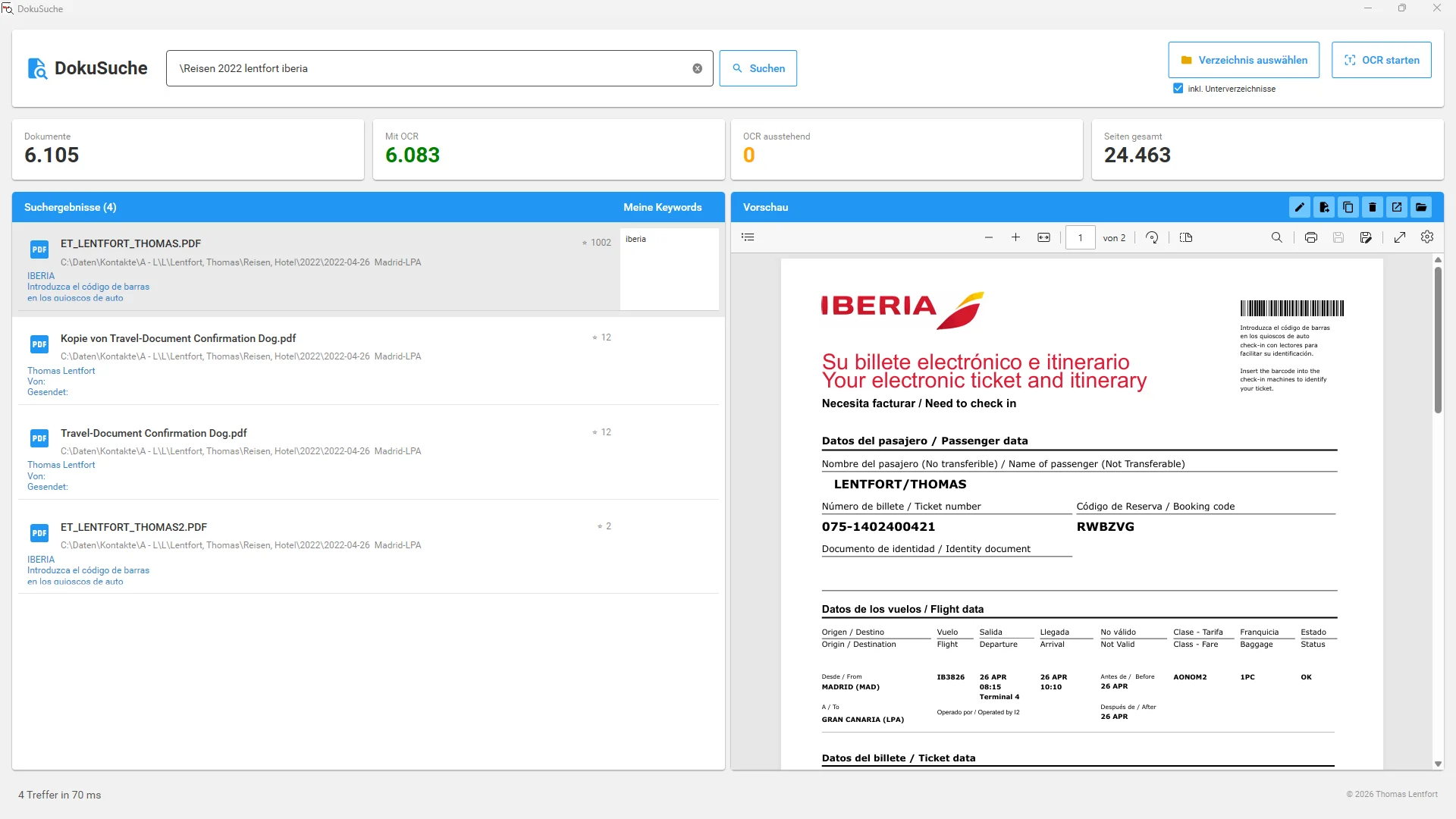
Docu-Finder searches your PDFs, scans, and even WhatsApp photos using AI-powered text recognition. Never waste hours searching for the right document again.

100%
Local & secure
<2s
Search results
99%
OCR accuracy
βœ“
248 documents indexed
Docu-Finder Screenshot - Document Search with OCR
πŸ”
Full-text search across all PDFs

Everything you need

Docu-Finder makes document management simple, fast, and efficient.

πŸ”

Lightning-fast search

Find any document in a fraction of a second. Our full-text search scans all your files simultaneously.

πŸ“

Smart OCR

AI-powered text recognition for PDF, JPG, PNG, and TIFF. Works even with phone photos and WhatsApp images!

πŸ”’

Local & secure

All data is stored in a local database – no cloud storage. But: Google Drive, OneDrive & Co. mounted as network drive? No problem!

πŸ‘οΈ

Built-in preview

View your PDFs directly in the application. No switching between programs needed.

🏷️

Keywords & tags

Add your own keywords and find documents even faster.

πŸ“

File management

Rename, move, copy – manage your documents directly from the search interface.

Simple as 1-2-3-4

Perfect document search in just four steps.

1

Install

Download Docu-Finder and install it on your Windows PC.

2

Select folders

Choose the folders where your documents are stored.

3

Start OCR

Start the text recognition – 500 pages included for free.

4

Search & find

Type your search term and instantly find the right document.

Simple, fair pricing

The app is free. You only pay for OCR text recognition – and only if you need more than 500 pages.

Starter
500 pages
€2.75
one-time
  • 500 OCR pages
  • All app features
  • Prepaid – no subscription
Get Started
Pro
10,000 pages
€45
one-time Β· save 18%
  • 10,000 OCR pages
  • All app features
  • Prepaid – no subscription
Get Started

🎁 500 pages free when you register – no credit card, no commitment.

Frequently Asked Questions

Does Docu-Finder work on Mac?
Currently, Docu-Finder is only available for Windows. A Mac version is planned for the future.
Are my documents uploaded to the cloud?
No. Your documents stay on your computer. Only for OCR processing, data is encrypted and sent to our server, where it is immediately deleted after processing.
What happens when my credits run out?
You can continue using the app and search all previously processed documents. For new OCR processing, simply top up your credits via bank transfer.
Which file formats are supported?
Docu-Finder supports PDF, JPG, JPEG, PNG, and TIFF. Perfect for phone photos of documents or images received via WhatsApp.
Is there a subscription or hidden costs?
No! Docu-Finder uses prepaid credits. You buy page packages and use them without time limits. No subscription, no automatic renewal.
How accurate is the text recognition?
We use Azure AI Document Intelligence – one of the best OCR solutions available. Recognition rate is over 99% for readable documents.
Can I use Docu-Finder in my company?
Yes! For teams, we offer connection to external databases (e.g., SQL Server) – so multiple employees can access the same index. Contact us for a custom quote.

Ready to get organized?

Download Docu-Finder now and find any document in seconds.

Download for Windows

Windows 10/11 Β· 64-bit Β· Free